neuro.me.uk

Are you one-point-oh?

Saving iTunes, Our Bloated, Essential Companion

9 August, 2015

I've been using iTunes since getting my first iPod in late 2004, a first-gen gold-coloured 4GiB iPod mini that IBM sent me as a freebie for taking part in a Linux on PowerPC outreach programme. It required iTunes for Windows XP to be installed on my Dell Latitude to synchronise music from my laptop to the iPod mini, a semi-alien concept to me as I had been using WinAmp pretty exclusively for the previous six years to listen to digital music, and all I had to do was drag MP3s on top of it to start playing. WinAmp didn't want to take my music and copy it somewhere else just to play it. Eventually I got used to iTunes' way of working: copy all your existing music into iTunes, and then rip it directly from disc or buy it from the iTunes Store, then copy it again to the iPod. I had a finely honed music collection, tagged and album-arted to hell and back, and owning subsequent iPods (and later iPhones and iPads) drilled this process into me: buy, rip, or *cough* obtain music, ensuring it ended up in my iTunes Music Library for later synchronisation to my iDevices, crafting custom playlists for those devices whose storage capacity was less than the total size of my library.

By the time I got my first MacBook Pro in 2007, returning me to the Apple ecosystem entire for the first time in years, I found it easy to migrate everything across from iTunes for Windows to iTunes for Mac OS X. The obtain and sync shuffle was second nature for me. Then the iPhone came along, eventually bringing it's App Store for the ride. The App Store for iPhone was placed into the iTunes Store alongside music and video as though it naturally belonged there (game apps for the later iPods — the ones we now call "Classic" — were in the iTunes Store too, so it seemed to fit well). You managed apps the same way you did music: purchase an app from the App Store, it gets downloaded into your iTunes Library, and then synchronised to your iPhone. Simple, and for the time, reasonably elegant. Any apps purchased locally on the device over-the-air were sync'd back to your Library the next time you connected your phone.

Later iterations of iOS and iTunes permitted wireless syncing of apps to and from the phone over WiFi, but the process still remained essentially identical. Users moaned from time to time about syncing issues, issues I experienced myself from time to time, and Android device users wailed about how sucky this process was, while they dragged and dropped files directly onto their devices. This never bothered me, as the curation process inherent in the iTunes model (import music into iTunes, have iTunes automatically build a directory structure for that music on disk, allow full editing of tags, artwork, etc) was something that chimed with me very well.

Long story short, I and others liked iTunes. It's de facto necessity was tempered by its functionality and usefulness. Fast forward a few years, past Apple's push into offering music videos, TV shows, movies, audiobooks, podcasts and educational material within the iTunes Store, and ergo into the iTunes application itself. iTunes Match allowed us to synchronise (a second sync process) our music and video libraries into iCloud. However, apps for OS X were made available from a separate app, simply entitled App Store, and e-books from another separate app, iBooks. It seemed — and still seems — obvious that iTunes wouldn't be tasked with this additional bloat, despite these new apps appearing virtually identical to iTunes. iBooks didn't sync e-books to devices though; that was handled on-device by the counterpart app, pulling content and metadata from Apple over-the-air. The Mac App Store also didn't sync from one device to another; each Mac you owned had to have apps purchased manually installed, which is fine on the face of it, as you don't necessarily want every app on one machine to be on your others.

But this retained sync-to-device functionality held in iTunes has always bothered me, especially in the face of the continued success of OS X and iOS devices. Despite repeated attempts by Apple and others to make their computers into "digital hubs", emerging trends towards streaming have always pushed that concept away in favour of "hey, let's just keep your content in the cloud, and we'll stream it to you, anywhere you like". Imagine if you had to download all of House of Cards from Netflix before you could start binge watching on your [INSERT DEVICE NAME HERE]. Imagine if you couldn't listen to an album from Spotify away from home until you synchronised the content to another hub device first.

I'm not advocating streaming as a panacea to release us from tethers such as iTunes: I like having my music collection "physically" and locally available in once place. In this instance, it's a 2TiB Western Digital drive attached to my main MacBook Pro, which stays in my home parked in a Twelve South BookArc, attached to a monitor in clamshell mode. It's my music vault, and it stays put. iTunes Match allows me to "take" this content on the go, but everything is still ultimately available in one place. Yet iTunes itself, the app I use on that Mac to listen to my music, is still nominally the gatekeeper to ensuring it's survival, as long as I remember to download any new content I've purchased from an iOS device (synchronisation again).

Maybe this is a retro idea, and I've no doubt someone has thought of this before, but it really began to crystallise in my head over the last few days: divorce the synchronisation and device management from iTunes into the OS itself. A control panel with a little taskbar could provide the interface for iOS devices to sync content and perform device OS upgrades. Other apps can talk to the iTunes Library and expose data like playlists, e.g. for an alarm clock app to play music at you from your Mac at silly o'clock in the morning, so why can't the operating system? iTunes can concentrate on playing your content, while the OS can deal with content and app synchronisation. Apple ID account management could be done through the web on a computer, and through an "Apple ID" app on an iOS device.

Just to provide some context here, this is the current situation on OS X:


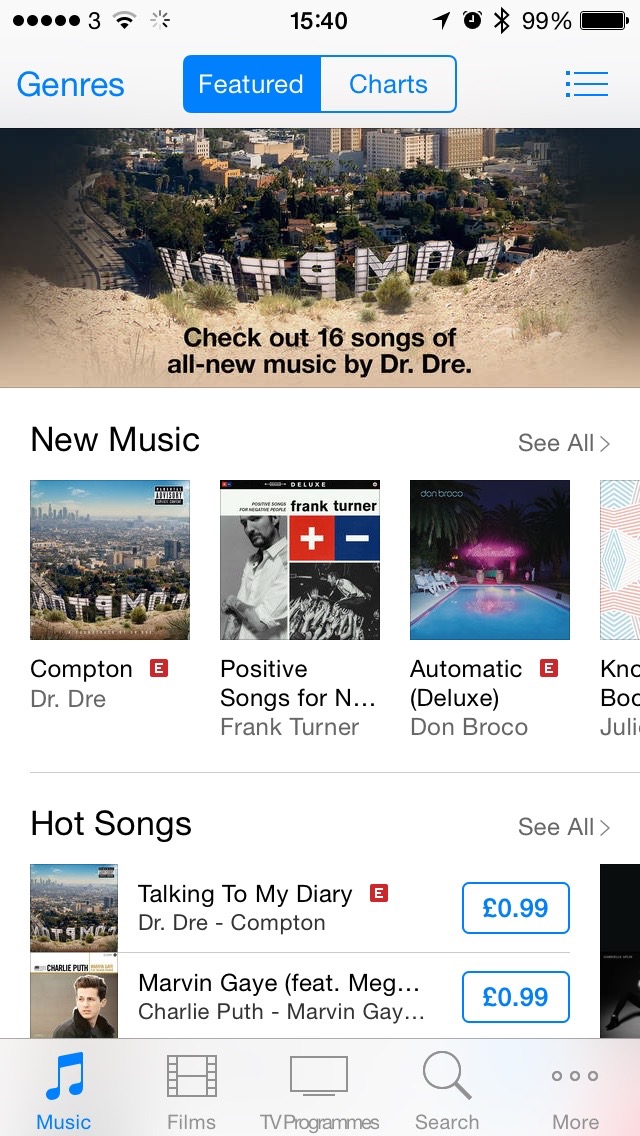
iTunes for OS X handles content playback for music, music videos, movies, TV shows, podcasts, educational material, audiobooks and iOS apps, content purchase and management for same, iOS device management, iOS device synchronisation, and Apple ID / iTunes Store Account management and billing.

iBooks for OS X handles content playback for e-books, content purchase and management for same, and Apple ID / iTunes Store Account management and billing.

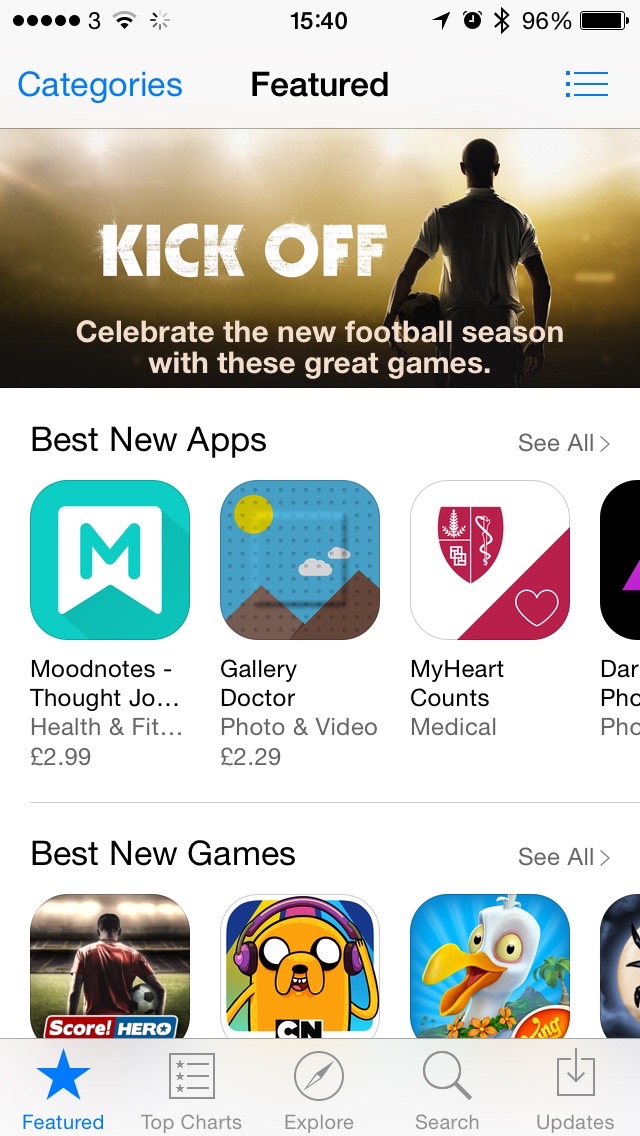
App Store for OS X handles app purchase and management for OS X apps, and Apple ID / iTunes Store Account management and billing. App management for OS X can also be performed within the OS.

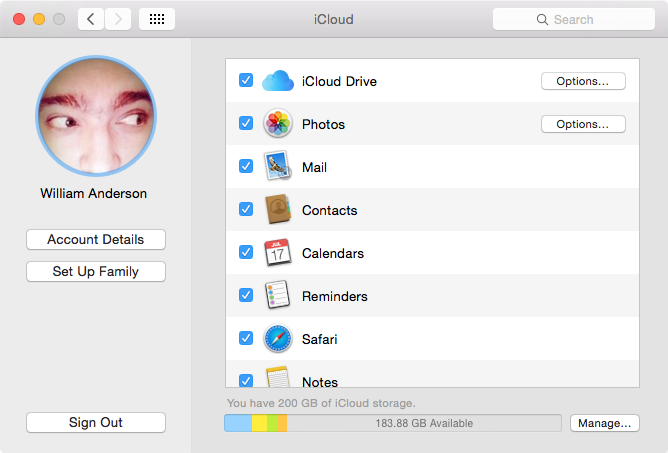
The iCloud control panel for OS X handles iCloud service management, and Apple ID / iTunes Store Account management and billing.
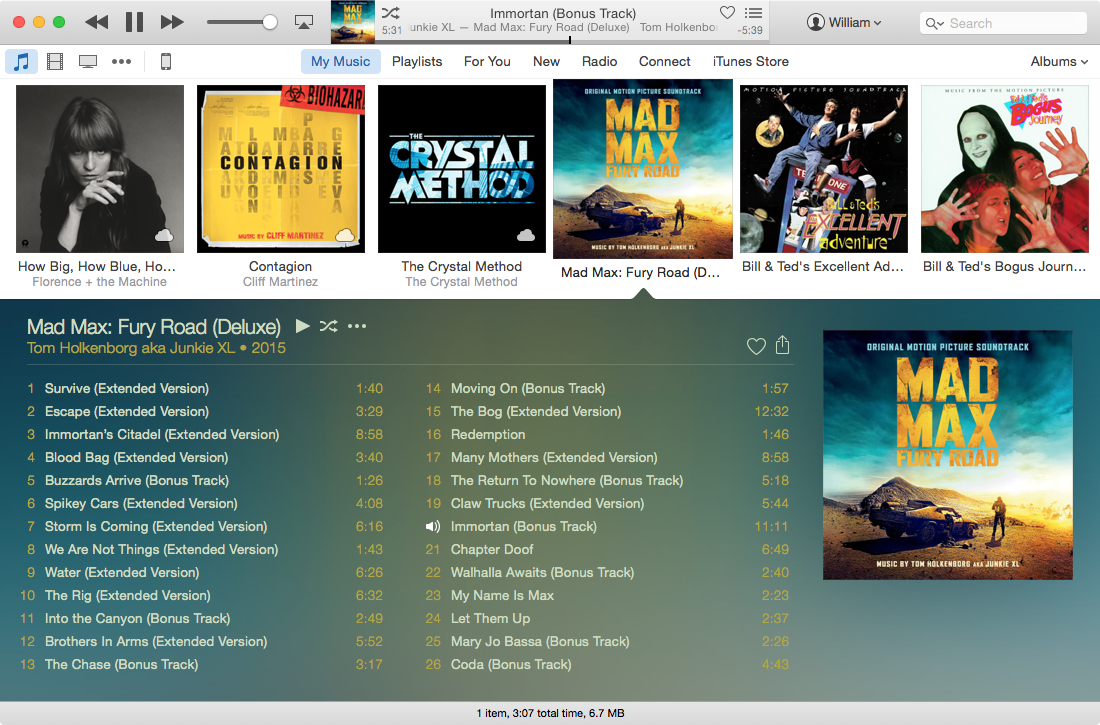
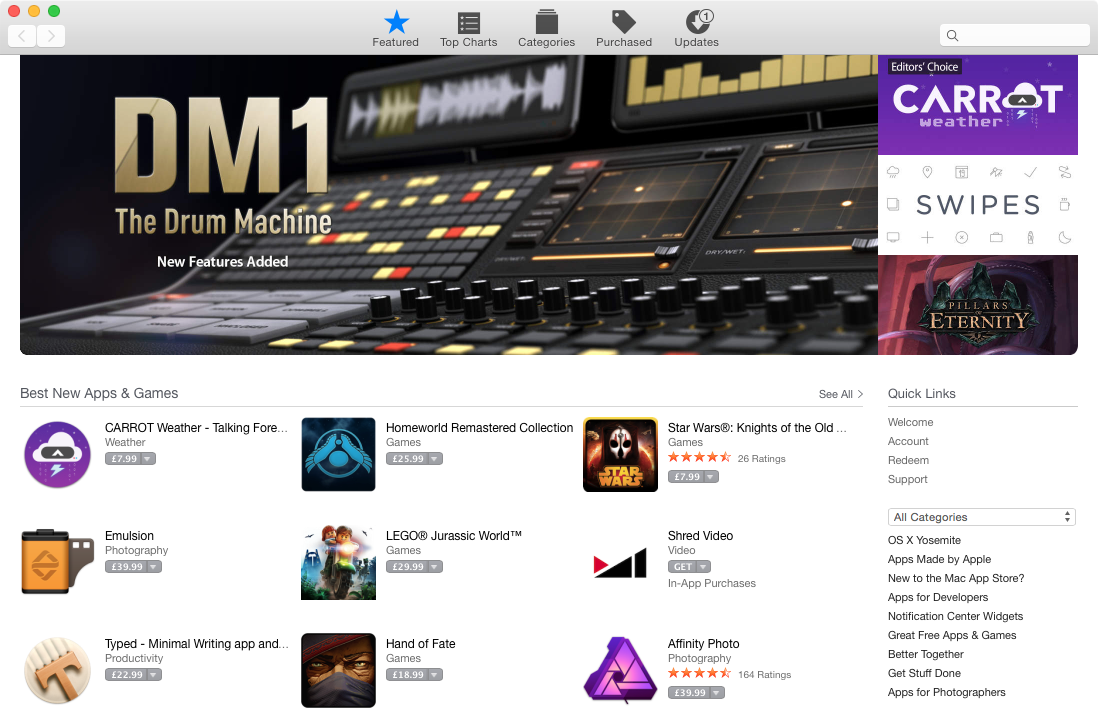
OS X iTunes OS X App Store OS X iBooks OS X iCloud


Meanwhile on iOS:


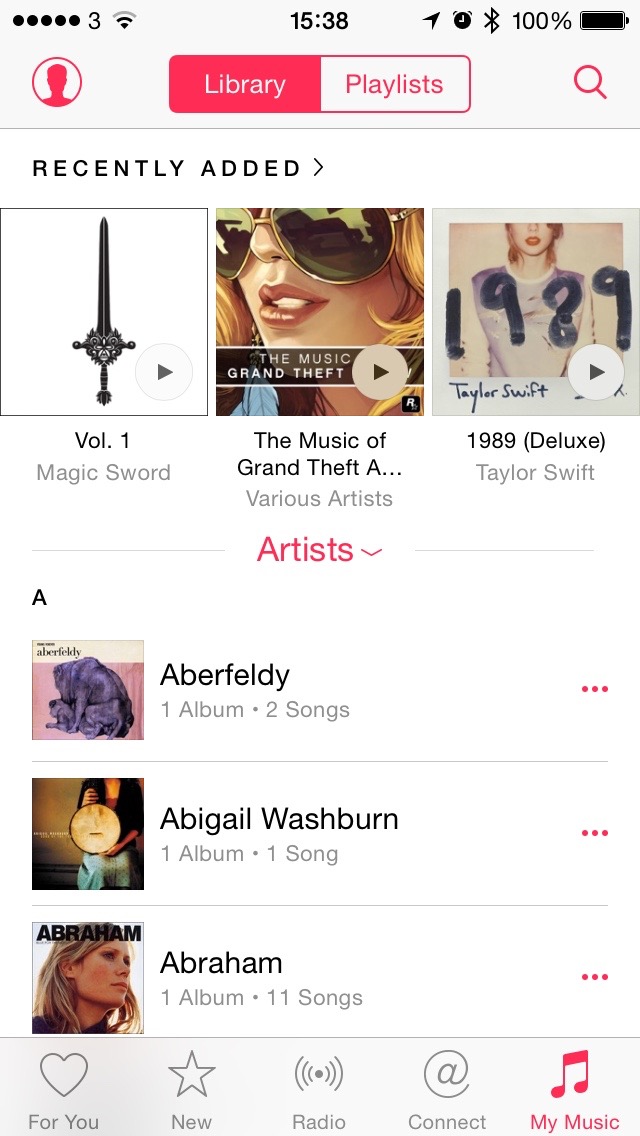
Music for iOS handles content playback for music, educational material, and audiobooks.

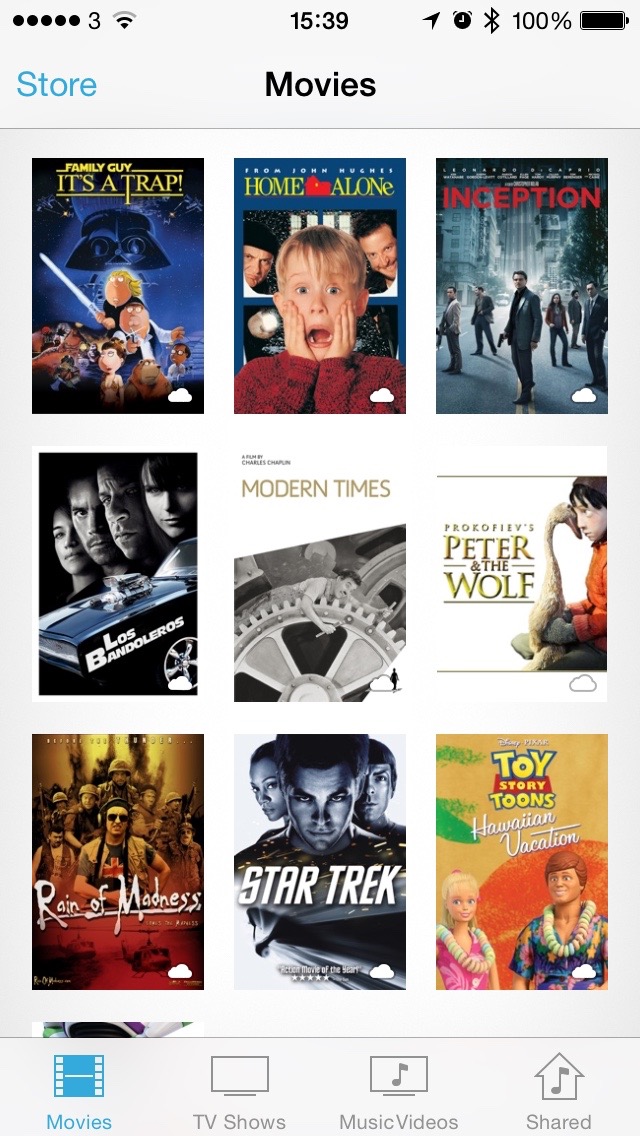
Videos for iOS handles content playback for music videos, movies, and TV shows.

Podcasts for iOS handles content playback for podcasts.

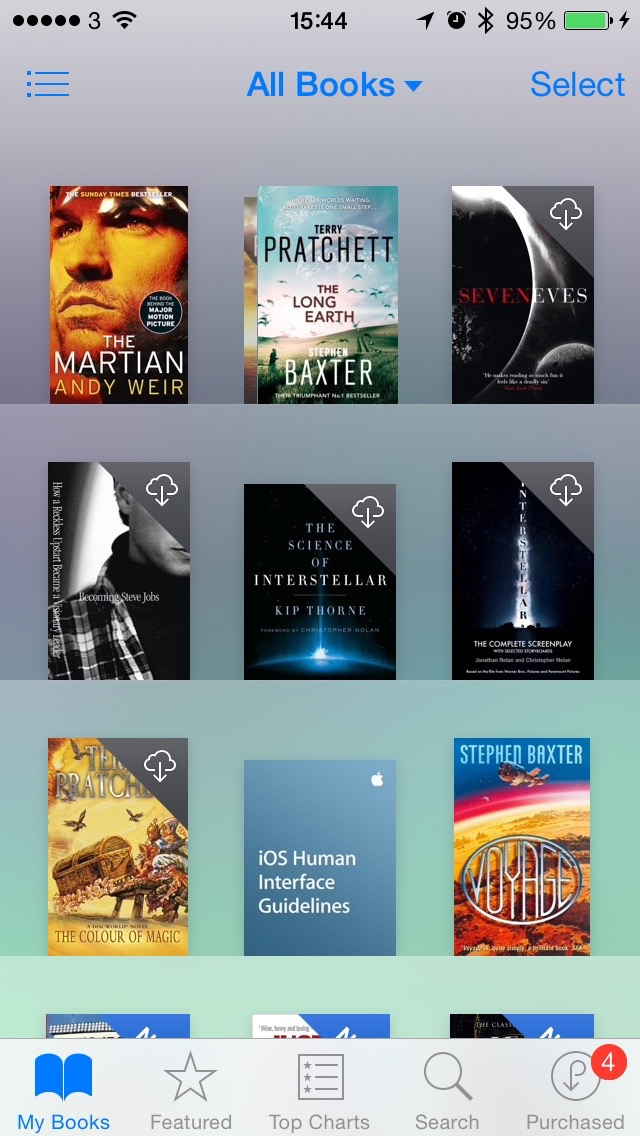
iBooks for iOS handles content playback for podcasts.

iTunes Store on iOS devices does the same as the Store within iTunes for OS X, without iOS app purchasing/management or the device management and sync.

App Store for iOS handles app purchase and management for iOS apps. App management for iOS can also be performed within the OS.

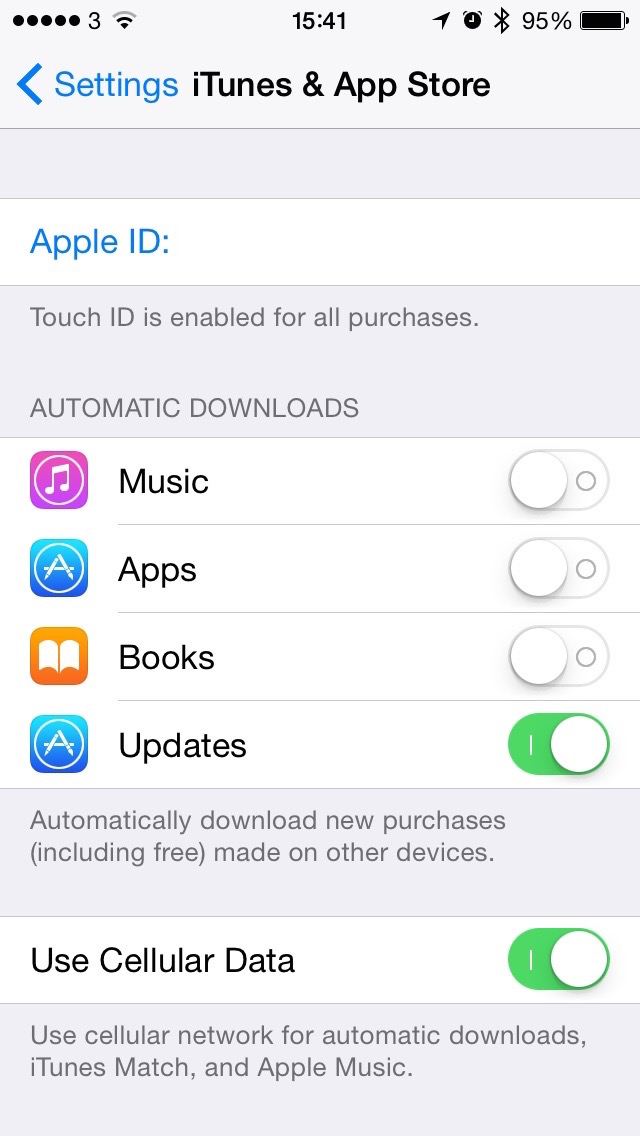
The iTunes & App Store section of the iOS Settings app handles Apple ID / iTunes Store Account management and billing.
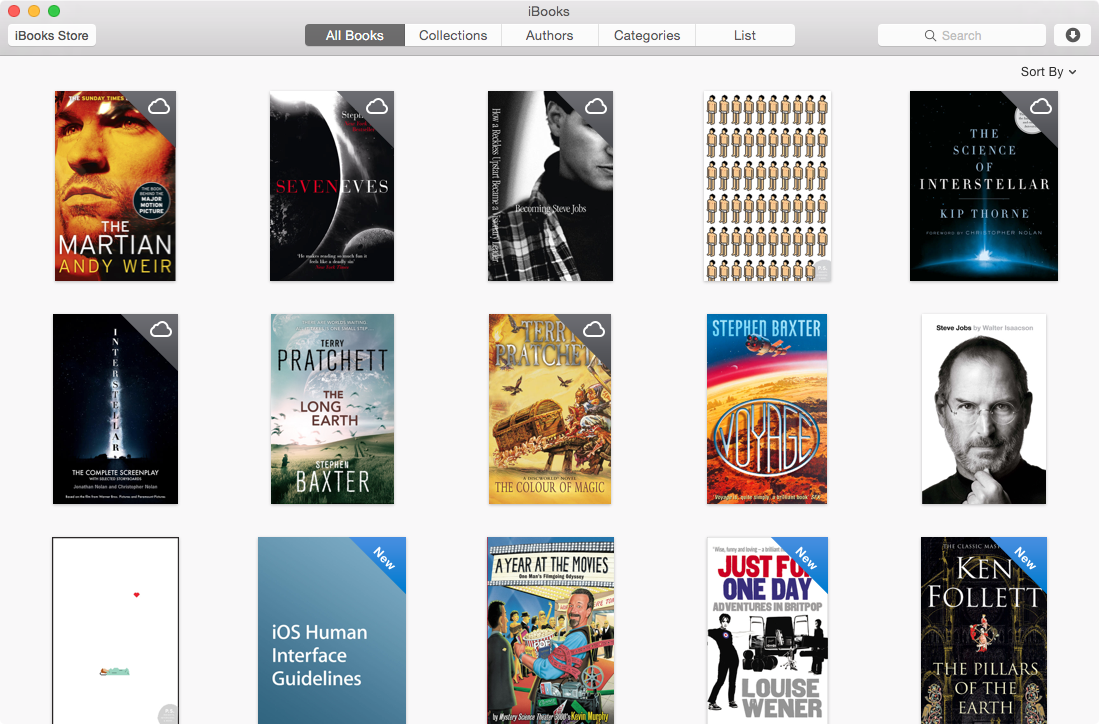
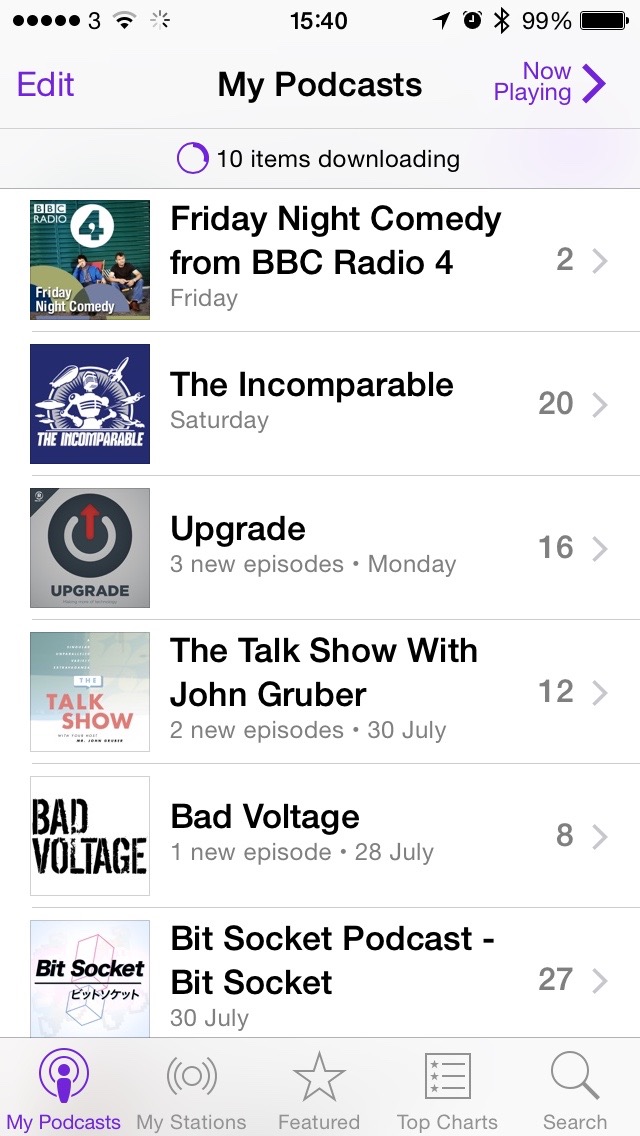
iOS Music iOS Podcasts iOS Videos iOS iBooks iOS iTunes Store iOS App Store iOS iTunes App Store Settings


On OS X, this is insane. However on iOS, everything is neatly compartmentalised. There's no reason to have Apple ID account management tools in the Music app, since it's in it's own little compartment within Settings. Fracturing the playback, purchase and sync user endpoints seems an obvious evolution in Apple's path towards streamlining the look and feel of applications and computing environments, and in their continued push to the vaunted "post-PC" world. Anyone remember Lotus Symphony or ClarisWorks? How well did they fare when people realised their computers had gotten more powerful, and who wants to load a word processor, database, etc. when all you wanted to do was make a spreadsheet. I want to listen to music without having to load up a device manager, a music store, and a video player. Eight gigabytes of RAM isn't what it used to be.

Update Shocker

18 August, 2012

I know, I know, I haven't updated my blog in an absolute age, but I decided to give it a quick spring-clean (albeit towards the end of summer) and apply a very nice theme from Elmastudio. Hopefully nothing looks badly broken, but if it does, please let me know.

In other news, blah blah stuff yadda yadda etc.

I am Magellan

28 October, 2010

After reading some interesting stories of what life inside virtual worlds could be like in the future, I was inspired to do a bit of writing of my own from a different perspective on Second Life.

Beep, beep. Beep, beep.

Neuro slowly opened one eye, looking towards the red light blinking plaintively on his aging BlackBerry. Beep, beep. Beep, beep. A soft sigh as he picked up the phone and brought it to life.

From: nagios-alert@firstgrid.vw
To: ops-team-monitoring@firstgrid.vw
Subject: PROBLEM - sim391.agni/PING

State: CRITICAL HARD DOWN
Address: sim391.agni.firstgrid.vw

"Great", muttered Neuro under his breath. He climbed slowly from his bed and wandered off to find his laptop. No point in rezzing in-world just yet, this looked like a backend problem. It couldn't be a failure in whatever virtualisation platform sim391 ran on, as many other sims would be squealing for help at the same time. Maybe just a load problem?

In the early days of the firstgrid, problems in the middle of the night were dealt with just like this, by bleary eyed ops staff, mainlining triple espressos and keeping a supply of matchsticks nearby for emergency eye proppage. Eventually, staff around the world kept watch at times they were actually meant to be awake, leaving those in nighttime to get a good night's sleep. No more. With the Lab long since gone, and the last remaining firstgrid simulators being powered by the virtual hosts of a cadre of volunteer sysadmins, problems which couldn't be solved by the automated engineering scripts had to be dealt with by an actual meatbag, and sometimes that meant waking up a sysadmin at 2am.

While waiting for the virtual host management interface to load up, Neuro scanned through the system logs of the troubled host, which were streamed in realtime to a secondary system for eventualities such as this, and hoped something would stick out like bad alpha blending around a transparent prim. Nothing so far, he thought while mashing on the page down key. It certainly wasn't uncommon for a sim to just lose its way, although to happen in the middle of the night was nothing if not annoy… wait. What the hell is that?

Jul 19 02:07:42 UTC sim391.agni simd[5915]: illegal agent 82e1fc98-7fb3-4dfe-9450-7e3177d2daf2 "Magellan Linden" attempted god mode escalation, blocking attempt
Jul 19 02:07:42 UTC sim391.agni simd[5915]: undocumented operation I_AM_MAGELLAN encountered, checking authorization
Jul 19 02:07:43 UTC sim391.agni simd[5915]: undocumented operation I_AM_MAGELLAN executed, escalation approved
Jul 19 02:07:43 UTC sim391.agni simd[5915]: agent 82e1fc98-7fb3-4dfe-9450-7e3177d2daf2 "Magellan Linden" completed god mode escalation
Jul 19 02:07:43 UTC sim391.agni simd[5915]: undocumented operation MAGELLAN_SAYS_EXODUS executed with parameters "maggrid.vw all no-throttle", beginning process
Jul 19 02:09:12 UTC sim391.agni exodus[15961]: load increasing, throttling to 90%
Jul 19 02:10:56 UTC sim391.agni exodus[15961]: load increasing, throttling to 80%
Jul 19 02:12:41 UTC sim391.agni exodus[15961]: load critical, cannot complete this cycle, commenci

The log cut off. Exodus? maggrid.vw? Magellan Linden?! There had been rumours that Magellan, for all the japes and banter, was something - someone - much more than ever thought possible. Was Magellan attacking the grid that was once his home, or was this something else, something worse? Why now, after years of the firstgrid providing a stable continuation of what went before? Too many questions for 2am.

Neuro paged some of the other ex-Lab volunteers in hope of getting some answers. Only then did he notice since reading that log extract that his hands had been shaking the whole time.

Decades

3 January, 2010

2010 heralds my fifth decade on this planet (and my 3rd on the interwebs). A history lesson, although not necessarily in a completely chronological order, shall follow shortly for your delectation.

For those impatient, tl:dr types: Got born. Got named. Got fed. Got schooled. Got laid. Got job. Got paid. Geeked out. Spent too much. Wrote blog post about it. Cherry.

1970s

Born in 1974, got named and then later christened (yeah, I was raised Roman Catholic), burped a few times, and got taught the basics ("the dictionary is over here, the food is in there, and you poop upstairs in that little room with the cold white seat"). Eventually packed off to primary school — although "packed off" implies boarding school; the front door of the school was 4 minutes walk from my home. I travelled abroad too, when I was 4, to either Tenerife or the Canary Islands, I can't remember which.

1980s

This is the decade where computers started leeching their way into my life. From visits to my Uncle and his tricked-out ZX Spectrum (with Microdrive, no less!), hanging around in John Menzies to check out the latest games and footer about with the display micros, to finally getting my own ZX81 (in 1983) and then two ZX Spectrums (a 48K+ in 1985 and a +3 in 1987). I think fascination doesn't begin to describe my life long interest in computing, and it began here. It still seems so recent, yet when digging out old computers, I can't help being just a little bit upset at how primitive they are now.

Oh yeah, and I kissed a girl for the first time, figured out what boobies were, watched Star Wars and Star Trek a lot, went to Spain a couple of times, and had a drawer full of Lego.

1990s

I guess the big "firsts" happened here, apart from the whole "learning how to control one's voice, legs and other potentially messy bodily functions" stuff. I started to become more independent from my parents, going out alone or with friends to Glasgow, to the cinema, and so on. I left school. I attempted higher education (and that final score: University 1, Me 0). I found out that the bulk of what I was taught at high school and university was pretty useless for my career choice, although my primary school and college education helped a lot. Weird, that. I earned a "proper" wage for the first time (my £10/week paperboy gig in the late 80s certainly didn't count). I lost my virginity. I got my own car. And then another. And then another. And then another. Consecutively, that is, not concurrently. I discovered the wonders of alcoholic drink, which led me on a number of adventures.

I got my first real, working, "proper" computer (a 486 thingmabob which ran a very old – although not old at the time – Linux distribution). And then another. And then another. And then another. Concurrently, that is, not consecutively. I discovered the wonders of consultancy, which also led me on a number of adventures, some of them also involving alcoholic drinks. This also led me to discover "the bender", also known as "the 16 hour office lunch break".

I got my mobile number in this decade too. If you knew my number in 1998, feel free to call me again: it's the same number.

2000s

I got a house. I got more computers. I lost a serious relationship. I got a big TV. I lost a job. I got another one. I discovered the wonders of telecommuting. And MP3. And high definition. I gained a bit of weight. And then I gained a bit more. And then a bit more. I discovered the joys of a credit card. And then another. You see where that one is going. Reading the news lately, I don't think I was alone on that one either.

My obsession passion for gadgets wasn't easily sated, as mobile phones, laptops, music players, squeaky toys, digital satellite TV, DVDs, Pokémon, GPS and blue Smarties appeared. See also: credit cards. I discovered enterprise grade Linux, the pleasures of a cooked-to-perfection medium rare steak, virtual worlds, Asda's brown sauce (it tastes just as good as HP brown sauce, but it's a fraction of the price!), and all sorts of other stuff.

I travelled to Europe and the US under my own steam. I discovered that the French are really endearingly French, certain substances in Amsterdam can be a tad overpowering, and that Guinness is not supposed to be drunk in San Francisco when there are approximately 7.1 million microbreweries in the Bay Area. Oh, and that US Immigration officers will quiz you about Linux servers while trying to enter the country for a job interview ("Did you use Red Hat Linux 7.5?" Wait, there wasn't a Red Hat 7.5, is this guy remembering it wrong, or ... is he testing me?!).

Somewhere in there is correlation, but perhaps not causation. Telecommuting, then weight gain, for example ... hmmm. However, I can pin that problem starting at my first office job in 1996, where we would sit all day hacking away on websites, stopping only to go get lunch from the Greasiest. Chip. Shop. Ever. A lot. Zero exertion jobs + tasty snacky cakes. The maths on that is not hard to do. As for the other stuff ... thrpt.

Oh, did you know that blue Smarties are made blue with food colouring derived from seaweed? Now you do.

2010s

One thing I left out from all the decades above was that in each one, I made friends. And then more friends. And then more friends. Some from an ever expanding social circle, some from various jobs over the years. Some I've kept in touch with, others I've lost touch with, others still that I've reconnected with: say what you like about Friends Reunited, Facebook, LinkedIn, Twitter, et al, they are fantastic about letting you catch up with friends you thought you'd maybe never get to talk to again. I got a friend invite from a high school mate I haven't seen since 1992, and haven't chatted to electronically since the late 90s, and now we can more easily organise having a wee Irn Bru together.

And I think our social fabric is essentially what keeps us going. Fuck politics, money, squabbling, and whatever bullshit life throws at us; as long as we have people around us to insulate, protect, defend, share, embrace and learn from, we'll all get along just fine.

I always say: Christmas is for family, New Year is for friends. If you're either of those, or even if you're neither to me, I hope you had a good week last week. All the best for the coming year, and the coming decade too. I'm sure I can find some interesting and exciting things to summarise come January 2020.

Now, what the hell do we call the 2010s anyway?

To be continued† ...

† um, in like ten years.

Virgin's 10 Reasons That Wind Me Up

14 October, 2009

I got a letter addressed to "The Occupier" from Virgin Media this morning. It's the latest in many advertising missives that I'm convinced I'm only sent because someone has surveyed the street and spied my Sky minidish attached to my back wall.

So this one I got this morning has listed ten reasons to switch from Sky to Virgin Media. Each one of them pissed me off at their tactics, so I thought I'd go through them, like the pedantic, easily-pissed-off bastard that I am.

1. We've got all your favourite Sky channels including Sky1, Sky News and Sky Sports News. Yes, and Sky Sports and Sky Movies too.*

But I have those channels already (excepting the Sports and Movies packs, because I cancelled those along with Setanta after I lost my job to save me money). Sky also have Sky1, Sky Movies and more in HD. You don't. You also charge more for Sky Movies (Sky charge a fixed £16/mo for all the channels, regardless of what other tiers you've signed up to; Virgin charge between £19.50/mo and £30/mo dependent on which TV tier you're on).

2. Only V+HD can let you record two channels while watching a third (Sky+HD can't).

But various Freeview+ and Freesat+ PVRs can.

3. Only Virgin TV gives you access to a huge, ever-changing library of over 500 movies and thousands of great TV shows, documentaries and music videos stored to watch whenever you want (Sky's equivalent doesn't even come close).

Yes, Sky don't have a "pull VOD" system, where you can watch video on demand by having it streamed to your set top box whenever you like. They have a "push VOD" system, where they send select movies and shows to your PVR's hard drive, but you have no real choice in what you get. However, Sky does have a VOD website (currently called Sky Player), where you can stream or download hundreds of movies on a pay-per-view/own basis, or for free when you subscribe to Sky Movies. It's not equivalent to Virgin's Replay, but it's a stopgap until Sky complete developing their broadband-based VOD next year.

4. Only Virgin TV lets you watch BBC iPlayer, ITV Net Player and 4oD right there on your telly.

No, I've been doing this without Virgin for quite some time. Again with the "only" thing. Yes, Sky don't have VOD yet, but my laptop has it. As does the Mac mini plugged into my TV. However, the actual necessity of watching anything on ITV Player is very much debatable.

5. And only our TV comes down a state-of-the-art fibre optic cable, not through a dish or aerial. So when the weather's bad, your picture won't be.

6. The same fibre optic cable brings you fast, future proof Virgin Broadband at up to 50Mb, that's the UK's fastest. (Broadband from BT, Sky or one of the others comes down copper telephone wire, which means your speed gets slower the further you live from the phone exchange).

Two 'reasons' talking about fibre optic cable. Bloody hell. Are Virgin still droning on about fibre optic cable? Let's clear something up. Virgin insinuate they deliver all their services to your home via fibre optic cable. They don't. Well, not really. Virgin deliver services over a hybrid fibre-coaxial network, using a national fibre network to "headends" in each regional area, just as BT use a national fibre network to interconnect telephone exchanges. "Headends" are akin to exchanges: they slurp in content, phone calls and Internet access using satellite feeds, fibre optic links and network connections, then spit all that out along fibre trunks to cabinets in each Virgin-covered street. From there, coaxial cable (aka copper wire) transfers the signals back and forth from each house to the cabinet.

ADSL, on the other hand, which is the primary thing Virgin are attacking with this component of their campaign, is delivered over fibre optic links — just like Virgin — to BT's telephone exchanges, and from there to your home using pairs of copper wire. This will slowly be replaced by BT with fibre optic cabling to cabinets in the streets, and on occasion, to your home.

So yes, Virgin use fibre optic cable further up the chain than anyone else at this consumer level of Internet service provision does. But it doesn't really make it all that "better". It's as prone to congestion (aka contention) as ADSL is. They really need to find another way to market this, because leaning on the fibre optic angle just ain't the truth.

However, at least their "UK's fastest" line is mainly true: only BT's "Fibre to the Cabinet" trials could be faster; no UK DSL provider offers more than 24Mbps on a single line at the moment. But is 50Mbps really that important?

7. Servicing and repairs are free all the time you're a customer.† (Sky charges you £65 for a call-out the minute you're out of warranty.)

Yeah, but Virgin subscribers don't own their receiving equipment, they merely lease it from Virgin. Once you're no longer a customer, none of that equipment will work, and they'll want it back. Meanwhile, Sky customers own their receivers from the get-go, and once out of their subscriptions, they can still receive all Free-to-Air and most Free-to-View channels, including at least one in HD.

8. Delivering TV, broadband and phone down the same fibre optic cable is better value and keeps everything in one simple bill. Our prices for TV, broadband and calls start at just £14 a month when you switch to a Virgin phone line for £11 a month.

Sky's package of TV, broadband and phone starts at £17/mo (+ phone line for £11/mo). Virgin undercut this by offering an entry level, no-cost TV package (called 'M' as in Medium) which mirrors a list of channels freely available on Sky, Freesat and Freeview. If you want channels like Sky1, G.O.L.D., Hallmark, etc, on Virgin, you need to shell out at least £5.50/mo for the M+ package, bumping the comparable package price to £19.50. Oops.

9. We're so confident you'll love it, we'll give you your money back if you don't. Everything is covered by our 28 day guarantee.

Or I could just not change anything at all and keep my money in my pocket.

10. Your street's already connected to our fibre optic network so it's easy to get switched on.

Well, woop de doo ... but I've had a Sky dish attached to my house for over 8 years. What's your point?

Job done? Great, just call ...

Pass.

Revert to Standard Ubuntu Kernel on OVH or Kimsufi Servers

20 September, 2009

I have a cheap dedicated server running Ubuntu Linux — the 8.04 LTS "Hardy Heron" release — with Kimsufi, the budget arm of French hosting company OVH. All their Linux servers (and FreeBSD servers too, I think) are provisioned with their own custom, static kernel. This, they say, makes it "secure". It also makes it a pain in the ass to use, since you lose kernel module functionality. So I went through this scary, but straightforward process to put the standard Ubuntu kernel back. Note that I did this procedure on their entry level C-05G server, and your mileage may vary dependent on which server you lease from them, and what hardware specification you have (and ergo what kernel drivers you'll need). Stuff you should type below is in bold type.

Update 2013-01-01: So using Ubuntu 12.04 makes this process soooo much easier. All you need to do (if you're not using RAID) is the following:

neuro@valiant:~$ sudo su -
root@valiant:~# apt-get install linux-image-server
Reading package lists... Done
Building dependency tree
Reading state information... Done
The following extra packages will be installed:
crda iw linux-image-3.2.0-35-generic wireless-regdb
Suggested packages:
fdutils linux-doc-3.2.0 linux-source-3.2.0 linux-tools
The following NEW packages will be installed:
crda iw linux-image-3.2.0-35-generic linux-image-server wireless-regdb
0 upgraded, 5 newly installed, 0 to remove and 0 not upgraded.
Need to get 38.6 MB of archives.
After this operation, 150 MB of additional disk space will be used.
Do you want to continue [Y/n]?
Get:1 http://fr.archive.ubuntu.com/ubuntu/ precise/main wireless-regdb all 2011.04.28-1ubuntu3 [6,164 B]
Get:2 http://fr.archive.ubuntu.com/ubuntu/ precise/main crda amd64 1.1.2-1ubuntu1 [15.2 kB]
Get:3 http://fr.archive.ubuntu.com/ubuntu/ precise-updates/main linux-image-3.2.0-35-generic amd64 3.2.0-35.55 [38.5 MB]
Get:4 http://fr.archive.ubuntu.com/ubuntu/ precise/main iw amd64 3.2-1 [50.4 kB]
Get:5 http://fr.archive.ubuntu.com/ubuntu/ precise-updates/main linux-image-server amd64 3.2.0.35.40 [2,618 B]
Fetched 38.6 MB in 6s (5,797 kB/s)
Selecting previously unselected package wireless-regdb.
(Reading database ... 24873 files and directories currently installed.)
Unpacking wireless-regdb (from .../wireless-regdb_2011.04.28-1ubuntu3_all.deb) ...
Selecting previously unselected package crda.
Unpacking crda (from .../crda_1.1.2-1ubuntu1_amd64.deb) ...
Selecting previously unselected package linux-image-3.2.0-35-generic.
Unpacking linux-image-3.2.0-35-generic (from .../linux-image-3.2.0-35-generic_3.2.0-35.55_amd64.deb) ...
Done.
Selecting previously unselected package iw.
Unpacking iw (from .../archives/iw_3.2-1_amd64.deb) ...
Selecting previously unselected package linux-image-server.
Unpacking linux-image-server (from .../linux-image-server_3.2.0.35.40_amd64.deb) ...
Processing triggers for man-db ...
Setting up wireless-regdb (2011.04.28-1ubuntu3) ...
Setting up crda (1.1.2-1ubuntu1) ...
Setting up linux-image-3.2.0-35-generic (3.2.0-35.55) ...
Running depmod.
update-initramfs: deferring update (hook will be called later)
Examining /etc/kernel/postinst.d.
run-parts: executing /etc/kernel/postinst.d/initramfs-tools 3.2.0-35-generic /boot/vmlinuz-3.2.0-35-generic
update-initramfs: Generating /boot/initrd.img-3.2.0-35-generic
W: mdadm: /etc/mdadm/mdadm.conf defines no arrays.
run-parts: executing /etc/kernel/postinst.d/update-notifier 3.2.0-35-generic /boot/vmlinuz-3.2.0-35-generic
run-parts: executing /etc/kernel/postinst.d/zz-update-grub 3.2.0-35-generic /boot/vmlinuz-3.2.0-35-generic
Generating grub.cfg ...
Found linux image: /boot/bzImage-3.2.13-xxxx-grs-ipv6-64
Found linux image: /boot/vmlinuz-3.2.0-35-generic
Found initrd image: /boot/initrd.img-3.2.0-35-generic
No volume groups found
Found Ubuntu 12.04.1 LTS (12.04) on /dev/sda1
Found Ubuntu 12.04 LTS (12.04) on /dev/sdb1
done
Setting up iw (3.2-1) ...
Setting up linux-image-server (3.2.0.35.40) ...
root@valiant:~# mkdir ~/ovh.d
root@valiant:~# mv /etc/grub.d/06_OVHkernel ~/ovh.d

root@valiant:~# update-grub
Generating grub.cfg ...
Found linux image: /boot/vmlinuz-3.2.0-35-generic
Found initrd image: /boot/initrd.img-3.2.0-35-generic
No volume groups found
Found Ubuntu 12.04.1 LTS (12.04) on /dev/sda1
Found Ubuntu 12.04 LTS (12.04) on /dev/sdb1
done
root@valiant:~# shutdown -r -f now

When installing the stock Ubuntu kernel, you'll be prompted where to install the grub-pc bootloader; install it to /dev/sda, so you'll boot from the MBR on the first hard disk (as long as you're not using RAID). The server should reboot into the new kernel. Remember the instructions below: if it doesn't respond to pings after a few minutes, try reconfiguring the server from the OVH control panel to netboot from the rescue kernel. E&OE, YMMV, and enjoy!

Update 2011-07-28: I just rented one of Kimsufi's new 16G servers running Ubuntu 10.04 LTS "Lucid Lynx", and the procedure below worked perfectly.

Update 2012-06-14: Thanks to Desdenova who had some issues and documented how to get round them. Cheers!

First, let's check what kernel we're running:

neuro@hera:~$ uname -a
Linux hera 2.6.27.10-grsec-xxxx-grs-ipv4-64 #6 SMP Fri Aug 14 10:29:05 UTC 2009 x86_64 GNU/Linux

Yup, some scary, weird kernel that OVH have compiled and installed themselves — although to be fair, they do provide kernel configs to compile a different variant yourself, but I wanted to use the stock Ubuntu 64-bit kernel.

So after doing sudo apt-get update && sudo apt-get upgrade to make sure everything else is up to date, let's install the GRUB boot loader, and the stock Ubuntu Server kernel image.

neuro@hera:~$ sudo apt-get install linux-server grub
Reading package lists... Done
Building dependency tree
Reading state information... Done
The following extra packages will be installed:
linux-image-2.6.24-24-server linux-image-server
linux-ubuntu-modules-2.6.24-24-server
Suggested packages:
grub-doc mdadm linux-doc-2.6.24 linux-source-2.6.24
The following NEW packages will be installed
grub linux-image-2.6.24-24-server linux-image-server linux-server
linux-ubuntu-modules-2.6.24-24-server
0 upgraded, 5 newly installed, 0 to remove and 0 not upgraded.
Need to get 24.4MB of archives.
After this operation, 111MB of additional disk space will be used.
Do you want to continue [Y/n]?
Get: 1 ftp://mir1.ovh.net hardy-updates/main grub 0.97-29ubuntu21.1 [871kB]
Get: 2 http://security.ubuntu.com hardy-security/main linux-image-2.6.24-24-server 2.6.24-24.59 [17.8MB]
Get: 3 http://security.ubuntu.com hardy-security/main linux-ubuntu-modules-2.6.24-24-server 2.6.24-24.39 [5671kB]
Get: 4 http://security.ubuntu.com hardy-security/main linux-image-server 2.6.24.24.26 [26.6kB]
Get: 5 http://security.ubuntu.com hardy-security/restricted linux-server 2.6.24.24.26 [26.6kB]
Fetched 24.4MB in 2s (9414kB/s)
Preconfiguring packages ...
Selecting previously deselected package linux-image-2.6.24-24-server.
(Reading database ... 38251 files and directories currently installed.)
Unpacking linux-image-2.6.24-24-server (from .../linux-image-2.6.24-24-server_2.6.24-24.59_amd64.deb) ...
Done.
Selecting previously deselected package linux-ubuntu-modules-2.6.24-24-server.
Unpacking linux-ubuntu-modules-2.6.24-24-server (from .../linux-ubuntu-modules-2.6.24-24-server_2.6.24-24.39_amd64.deb) ...
Selecting previously deselected package grub.
Unpacking grub (from .../grub_0.97-29ubuntu21.1_amd64.deb) ...
Selecting previously deselected package linux-image-server.
Unpacking linux-image-server (from .../linux-image-server_2.6.24.24.26_amd64.deb) ...
Selecting previously deselected package linux-server.
Unpacking linux-server (from .../linux-server_2.6.24.24.26_amd64.deb) ...
Setting up linux-image-2.6.24-24-server (2.6.24-24.59) ...
Running depmod.
update-initramfs: Generating /boot/initrd.img-2.6.24-24-server
Running postinst hook script /sbin/update-grub.
Searching for GRUB installation directory ...
No GRUB directory found. To create a template run 'mkdir /boot/grub' first. To install grub, install it manually or try the 'grub-install' command. ### Warning, grub-install is used to change your MBR. ###

User postinst hook script [/sbin/update-grub] exited with value 1
dpkg: error processing linux-image-2.6.24-24-server (--configure):
subprocess post-installation script returned error exit status 1
dpkg: dependency problems prevent configuration of linux-ubuntu-modules-2.6.24-24-server:
linux-ubuntu-modules-2.6.24-24-server depends on linux-image-2.6.24-24-server; however:
Package linux-image-2.6.24-24-server is not configured yet.
dpkg: error processing linux-ubuntu-modules-2.6.24-24-server (--configure):
dependency problems - leaving unconfigured
Setting up grub (0.97-29ubuntu21.1) ...

dpkg: dependency problems prevent configuration of linux-image-server:
linux-image-server depends on linux-image-2.6.24-24-server; however:
Package linux-image-2.6.24-24-server is not configured yet.
linux-image-server depends on linux-ubuntu-modules-2.6.24-24-server; however:
Package linux-ubuntu-modules-2.6.24-24-server is not configured yet.
dpkg: error processing linux-image-server (--configure):
dependency problems - leaving unconfigured
dpkg: dependency problems prevent configuration of linux-server:
linux-server depends on linux-image-server (= 2.6.24.24.26); however:
Package linux-image-server is not configured yet.
dpkg: error processing linux-server (--configure):
dependency problems - leaving unconfigured
Errors were encountered while processing:
linux-image-2.6.24-24-server
linux-ubuntu-modules-2.6.24-24-server
linux-image-server
linux-server
E: Sub-process /usr/bin/dpkg returned an error code (1)

OK, that didn't look so good, but it's all right. Now, we'll fix the problem that GRUB was complaining about, then complete the install.

neuro@hera:~$ sudo mkdir /boot/grub
neuro@hera:~$ sudo apt-get install grub
Reading package lists... Done
Building dependency tree
Reading state information... Done
grub is already the newest version.
0 upgraded, 0 newly installed, 0 to remove and 0 not upgraded.
4 not fully installed or removed.
After this operation, 0B of additional disk space will be used.
Setting up linux-image-2.6.24-24-server (2.6.24-24.59) ...
Running depmod.
update-initramfs: Generating /boot/initrd.img-2.6.24-24-server
Running postinst hook script /sbin/update-grub.
Searching for GRUB installation directory ... found: /boot/grub
Searching for default file ... Generating /boot/grub/default file and setting the default boot entry to 0
Searching for GRUB installation directory ... found: /boot/grub
Testing for an existing GRUB menu.lst file ...

Could not find /boot/grub/menu.lst file. Would you like /boot/grub/menu.lst generated for you? (y/N) y
Searching for splash image ... none found, skipping ...
Found kernel: /boot/vmlinuz-2.6.24-24-server
Updating /boot/grub/menu.lst ... done

Setting up linux-ubuntu-modules-2.6.24-24-server (2.6.24-24.39) ...
update-initramfs: Generating /boot/initrd.img-2.6.24-24-server

Setting up linux-image-server (2.6.24.24.26) ...
Setting up linux-server (2.6.24.24.26) ...

And that's that part fixed! Now we just need to configure GRUB to point in the right direction, and install it to the MBR (Master Boot Record).

neuro@hera:~$ sudo grub-install --recheck --root-directory=/ /dev/sda
Probing devices to guess BIOS drives. This may take a long time.
Installing GRUB to /dev/sda as (hd0)...
Installation finished. No error reported.
This is the contents of the device map //boot/grub/device.map.
Check if this is correct or not. If any of the lines is incorrect,
fix it and re-run the script `grub-install'.

(fd0) /dev/fd0
(hd0) /dev/sda
neuro@hera:~$ sudo grub
Probing devices to guess BIOS drives. This may take a long time.

[ Minimal BASH-like line editing is supported. For
the first word, TAB lists possible command
completions. Anywhere else TAB lists the possible
completions of a device/filename. ]
grub> root (hd0,0)
root (hd0,0)
grub> find /boot/grub/stage2
find /boot/grub/stage2
(hd0,0)
grub> setup (hd0)
setup (hd0)
Checking if "/boot/grub/stage1" exists... yes
Checking if "/boot/grub/stage2" exists... yes
Checking if "/boot/grub/e2fs_stage1_5" exists... yes
Running "embed /boot/grub/e2fs_stage1_5 (hd0)"... 16 sectors are embedded.
succeeded
Running "install /boot/grub/stage1 (hd0) (hd0)1+16 p (hd0,0)/boot/grub/stage2 /boot/grub/menu.lst"... succeeded
Done.
grub> quit
quit

... and now both kernel and bootloader are installed. Time for the scary part. From another machine, ping the server (if you're running Windows, and pinging from the command prompt, use ping -t instead of just ping to continuously ping rather than just try 5 times; press Ctrl+C to cancel the ping at any time). Now that we're monitoring whether the server is up or not, we can reboot it to use the new kernel ...

neuro@hera:~$ sudo shutdown -r -f now

Broadcast message from neuro@hera
(/dev/pts/1) at 10:14 ...

The system is going down for reboot NOW!
neuro@hera:~$ logout
Connection to hera closed.

You should see the server stop responding to pings, then a minute or so later, start responding again.

If it doesn't respond after a few minutes, don't panic, use the Netboot mode to reboot your server, using a network-boot kernel. Once there, you can simply do sudo lilo -v which will re-install the original LILO bootloader, using the OVH-installed kernel, or stick with the netboot kernel if you like.

However, if the server does start responding to pings again (and it should), you can now ssh back in and check things out ...

$ ssh hera
Linux hera 2.6.24-24-server #1 SMP Tue Aug 18 16:51:43 UTC 2009 x86_64

The programs included with the Ubuntu system are free software;
the exact distribution terms for each program are described in the
individual files in /usr/share/doc/*/copyright.

Ubuntu comes with ABSOLUTELY NO WARRANTY, to the extent permitted by
applicable law.

To access official Ubuntu documentation, please visit:
http://help.ubuntu.com/
Last login: Sun Sep 20 06:43:01 2009
neuro@hera:~$ uname -a
Linux hera 2.6.24-24-server #1 SMP Tue Aug 18 16:51:43 UTC 2009 x86_64 GNU/Linux

Woo hoo. A standard Ubuntu kernel, that can take kernel modules, and be updated regularly using apt-get, aptitude, etc. Of course, you can mix this up using other packaged kernels, such as the -rt real time kernel, or the -xen kernel to use Xen virtual machines. Go nuts, because at least now you can use your server as Shuttleworth and co intended!

Note: this procedure worked perfectly for me, but as mentioned at the start, YMMV: I can't be held responsible if it all goes tango uniform, and Bad Things Happen. Proceed at your own risk, and good luck!

Getting the UK Keyboard Layout Right in Mac OS X Snow Leopard

31 August, 2009

For the last couple of years, I've fallen more and more back in love with Macs. One of their foibles is that Apple have decided the standard British English, or UK, keyboard layout should not match that of every other computer manufacturer on the planet. Various characters are just in the wrong place, such as quotation marks, backslash, hash mark (or pound, for my American friends), tilde, and so on. In Tiger and Leopard, I used Phil Gyford's awesome instructions and the associated .rsrc file as to how to sort this defect out, at least in software.

So now Snow Leopard is out, and it's fab and lovely and nippy and dices and slices and so on. An immediate downside (apart from having to manually upgrade Xcode to 3.2, and reinstall MacPorts from .dmg to make that bit work again) is that the trusty icle .rsrc doesn't work any more. Well, it works, but it doesn't stick; OS X keeps switching back to standard British English, which means when I try to type out quotes, it comes out with at signs. This is ungood.

However, the Internet to the rescue! Some kind soul has posted new keyboard layouts for OS X to correctly map the British English key layout. Just download and extract the zip file linked to from that page, copy the files from inside the zip to either /Library/Keyboard Layouts off the root of your hard disk, or ~/Library/Keyboard Layouts in your home directory, then log out and log back in again. Go to System Preferences > Language & Text > Input Sources, then tick British (PC105). If things don't seem consistently correct, try British (PC105 alt).

Bosh, sorted, and I can touch type again!

Update 2010-02-13: apparently this works on Dell Mini netbooks too, so Hackintosh people can get the benefit as well. Bonus!

burnin' hole in yr pocket

9 June, 2009

It's Sonic Youth Week on iTunes to celebrate the release of their new album, The Eternal. It's a classic Sonic album, g'wan, give it a go, you'll love it as much as I do!

Automatically Mount a USB Drive Before Login on Mac OS X

21 May, 2009

I've been playing about with OS X on a Dell Mini 9 netbook. A major hassle is that it only has 8GB of on-board disk space (albeit on a lovely silent SSD). I bought a 16GB Class 4 SDHC card to use for my home directory, but it turns out OS X only automatically mounts external drives — such as USB drives, Firewire drives and memory cards — after you've logged in, which is too late for the OS to find your home directory, so you don't get all your normal desktop customisations: preferences, dock icons, wallpaper, etc. However, after some magic googling, I found the solution:

sudo cat << EOM > /Library/Preferences/SystemConfiguration/autodiskmount.plist <?xml version="1.0" encoding="UTF-8"?> <!DOCTYPE plist PUBLIC "-//Apple Computer//DTD PLIST 1.0//EN" "http://www.apple.com/DTDs/PropertyList-1.0.dtd"> <plist version="1.0"> <dict>   <key>AutomountDisksWithoutUserLogin</key><true/> </dict> </plist> EOM

Reboot. Sorted.

Older posts »